
Changing or Resetting Your Password
Change your EMMA password from Settings, or reset it from the login page if you have forgotten it. Covers the password rules and how long reset links last.
These steps work the same for account owners and for team members. Each person changes only their own password.
Change your password
- Go to Settings in the left-hand menu. The Account & Billing tab opens.
- On the Account Settings card, click Change Password.
- Enter your Current password, then your New password twice.
- Click Change Password.
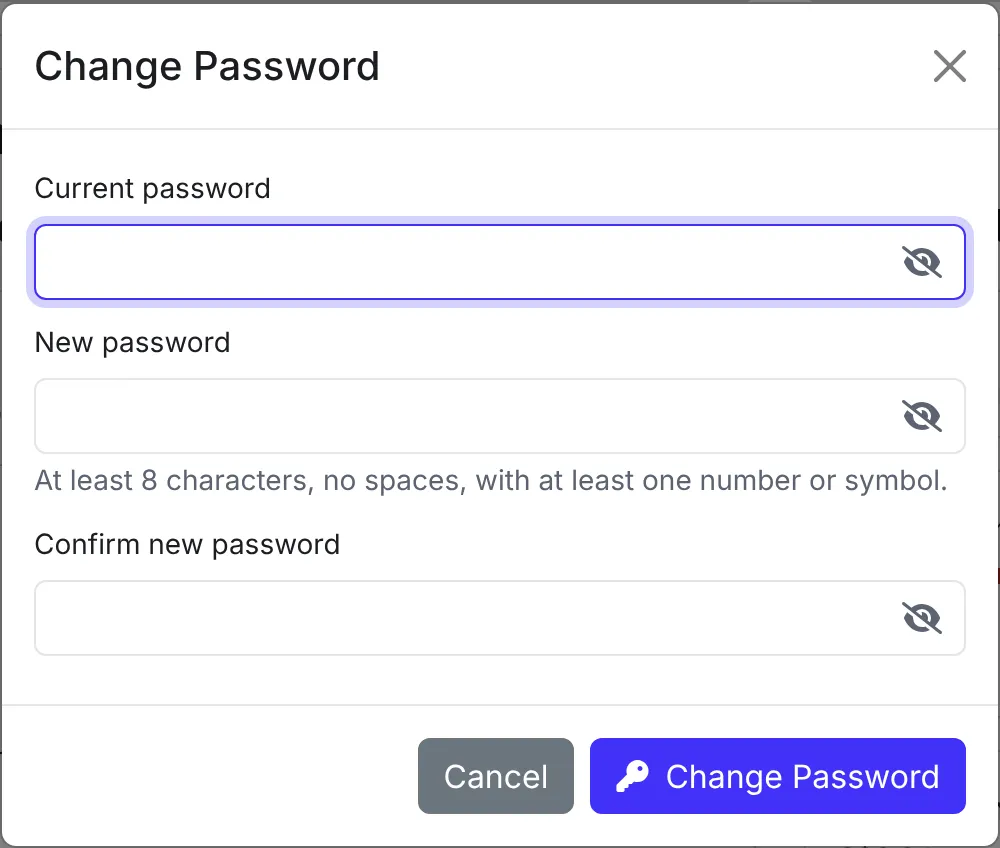
A password needs at least 8 characters, no spaces, and at least one number or symbol.
Reset a forgotten password
- On the EMMA login page, click Forgot your password?
- Enter your email address and click Send Reset Link.
- Open the email and click the link. Choose a new password, and EMMA logs you in.
The reset link lasts 1 hour and works once. If it has expired, or you asked for more than one, request a new link and use the one in the latest email.
If the email does not arrive within a few minutes, check your junk folder, or contact us.
Setting a password for a new team invite
If you were invited to join a team, the invite email has a link to set your password. It lasts 3 days. If it has expired, ask the account owner to resend your invite.