
Choosing Which Product Names EMMA Shows
When a product has a different title on each sales channel, rank your channels to choose whose name EMMA shows on Inventory, Sync Rules and your exports.
The same product often has a different title on each platform. A Shopee listing might carry keywords for search, while your Shopify store uses a short, clean name. EMMA links these listings by SKU, so it only needs one name for the product. You choose which channel that name comes from.
Where the names show
The name you choose is used on the Inventory Overview page and its search, in the stock change window, in the Inventory Errors and Sync Rule Quantity Errors windows, on the Sync Rules page, and in the inventory and sales exports.
The list of listings that were not imported is the exception. It always shows each listing’s own name, so you can find it on that platform.
Rank your sales channels
Only the account owner can change this setting. It appears once you have two or more sales channels connected.
- Go to Settings in the left-hand menu. The Account & Billing tab opens.
- On the Product name source card, click Edit.

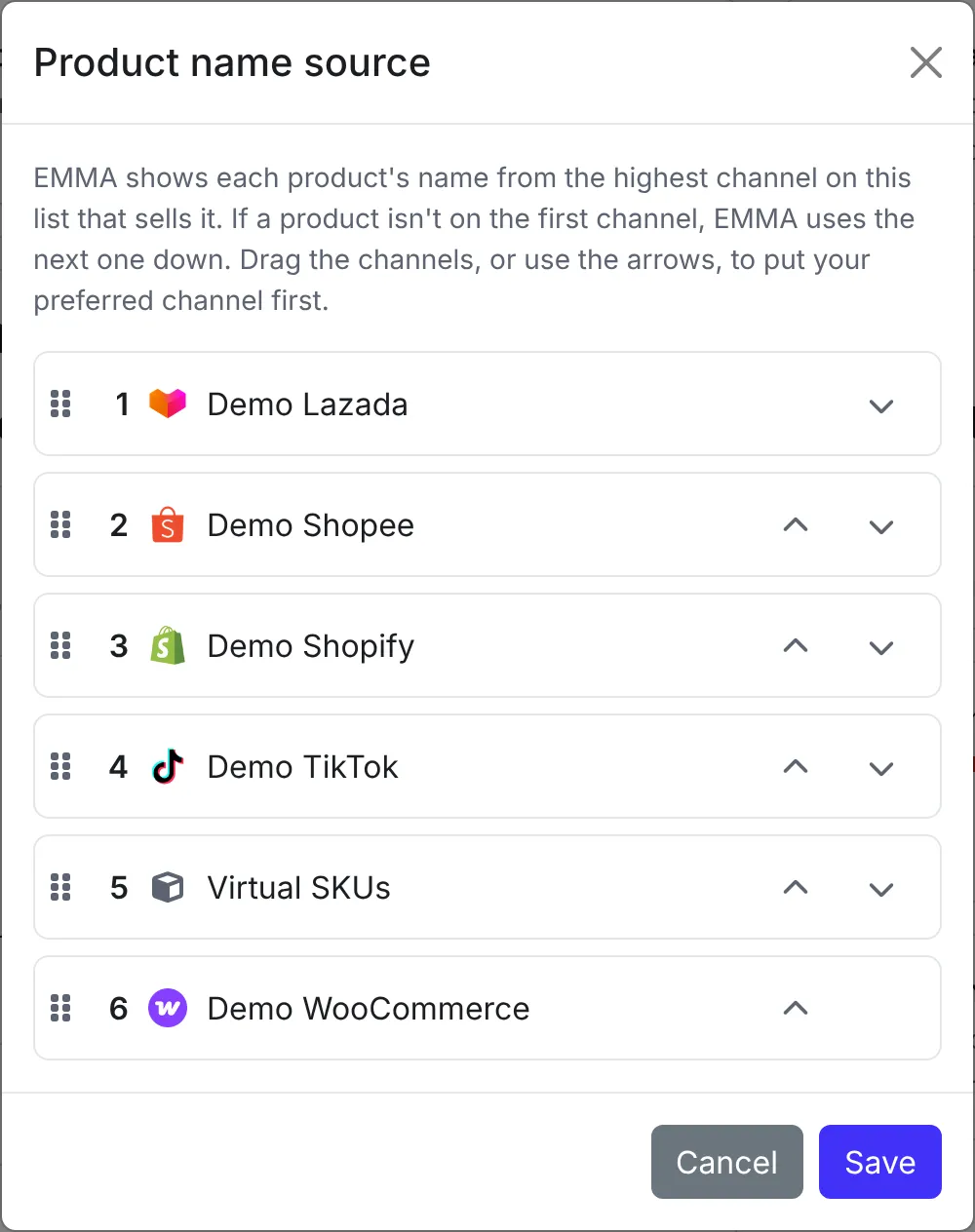
- Put your preferred channel first. Drag the channels into order, or use the arrow buttons. On a phone or tablet, use the arrows.
- Click Save.
How EMMA picks the name
For each product, EMMA uses the name from the highest-ranked channel that sells it. If a product is not on your first channel, EMMA uses the next one down, and so on. The variant name always comes from the same listing as the product name, so the two always match.
For example, with Shopify ranked first and Shopee second, a product sold on Shopify shows its Shopify name. A product sold only on Shopee and Lazada shows its Shopee name.
Virtual SKUs can be ranked like any other channel. A channel you connect later goes to the bottom of the list until you move it.